
Computer क्या है? Computer की पूरी जानकारी, Parts, Types और Uses
आज के digital युग में Computer हमारे जीवन का एक महत्वपूर्ण हिस्सा बन चुका है। पढ़ाई, business, banking, communication, office work, designing, entertainment और research जैसे अनेक क्षेत्रों में computer का उपयोग किया जाता है।
लेकिन क्या आपने कभी सोचा है कि Computer क्या है? यह कैसे काम करता है? इसके मुख्य parts कौन-कौन से हैं और इसका उपयोग कहाँ-कहाँ किया जाता है?
इस blog में हम Computer को आसान भाषा में समझेंगे।
🖥️ Computer क्या है?
Computer एक electronic device है जो दिए गए data को प्राप्त करता है, उसे process करता है और उपयोगी information के रूप में result देता है।
सरल शब्दों में:
Input → Processing → Output
उदाहरण के लिए, अगर हम Calculator में 25 + 15 डालते हैं:
- Input: 25 + 15
- Processing: Computer calculation करता है
- Output: 40
Computer बहुत तेजी से calculations और अन्य tasks कर सकता है।

1. Computer कैसे काम करता है?
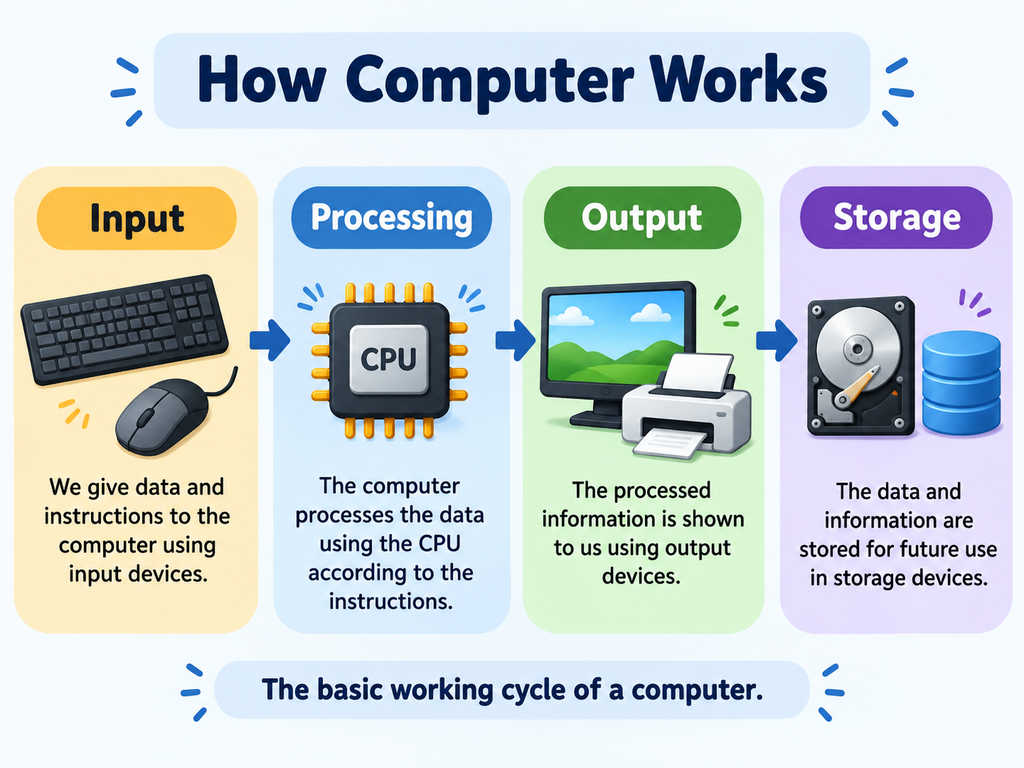
Computer मुख्य रूप से चार basic steps में काम करता है:
1. Input
सबसे पहले computer को data या instruction दिया जाता है।
उदाहरण:
- Keyboard से typing करना
- Mouse से click करना
- Microphone से आवाज देना
- Scanner से document scan करना
2. Processing
Computer प्राप्त data को process करता है।
इस काम में CPU (Central Processing Unit) की महत्वपूर्ण भूमिका होती है।
3. Output
Processing के बाद computer हमें result देता है।
उदाहरण:
- Monitor पर information दिखाई देना
- Printer से document निकलना
- Speaker से sound सुनाई देना
4. Storage
Computer information को future में उपयोग करने के लिए store भी कर सकता है।
उदाहरण:
- Hard Disk
- SSD
- Pen Drive
- Memory Card
2. Computer के मुख्य Parts
Computer कई अलग-अलग components से मिलकर बना होता है।
इसके कुछ मुख्य parts हैं:
🖥️ Monitor
Monitor computer की screen होती है। यह हमें text, images, videos और अन्य information दिखाती है।
⌨️ Keyboard
Keyboard का उपयोग letters, numbers और commands type करने के लिए किया जाता है।
🖱️ Mouse
Mouse का उपयोग screen पर pointer को control करने, select करने और different options पर click करने के लिए किया जाता है।
🧠 CPU
CPU को computer का “Brain of the Computer” कहा जाता है। यह instructions को process करता है और computer के operations को control करता है।
🔊 Speaker
Speaker computer से sound सुनाने के लिए उपयोग किया जाता है।
🖨️ Printer
Printer digital information को paper पर print करने के लिए उपयोग किया जाता है।

3. Hardware क्या है?
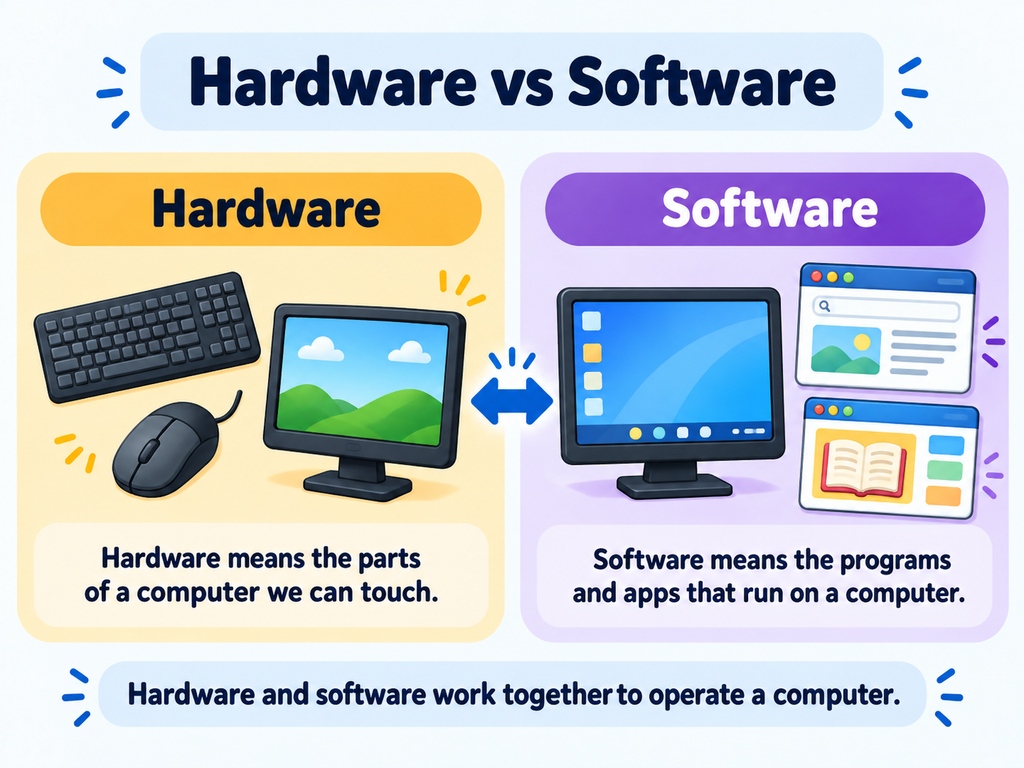
Computer के वे parts जिन्हें हम देख और छू सकते हैं, उन्हें Hardware कहा जाता है।
उदाहरण:
- Monitor
- Keyboard
- Mouse
- CPU
- Printer
- Speaker
- Hard Disk
- RAM
सरल उदाहरण:
Computer का physical body = Hardware
4. Software क्या है?
Software instructions और programs का collection होता है जो computer को बताता है कि उसे कौन-सा काम करना है।
Software को हम सामान्यतः touch नहीं कर सकते।
उदाहरण:
- Windows
- Microsoft Word
- Web Browser
- Calculator
- Paint
- Educational Apps
सरल उदाहरण:
Computer को काम करने के instructions = Software
5. Computer के प्रकार
Computer अलग-अलग आकार और आवश्यकता के अनुसार कई प्रकार के होते हैं।
💻 Desktop Computer
Desktop computer सामान्यतः एक fixed जगह पर रखा जाता है और schools, offices तथा homes में उपयोग किया जाता है।
💻 Laptop
Laptop एक portable computer है जिसे आसानी से एक स्थान से दूसरे स्थान पर ले जाया जा सकता है।
📱 Tablet
Tablet एक touchscreen device है जिसका उपयोग education, entertainment और internet browsing के लिए किया जाता है।
🖥️ Supercomputer
Supercomputer बहुत complex और high-speed calculations के लिए बनाए जाते हैं।
इनका उपयोग scientific research, weather forecasting और अन्य advanced fields में किया जाता है।

6. Computer का उपयोग कहाँ-कहाँ होता है?
आज computer लगभग हर major field में उपयोग किया जाता है।
🎓 Education
Schools और educational institutions में computer का उपयोग:
- Online classes
- Digital learning
- Presentations
- Educational games
- Online tests
- Research
के लिए किया जाता है।
🏢 Office
Office में computer का उपयोग:
- Documents बनाने
- Data management
- Accounting
- Presentations
- Communication
के लिए किया जाता है।
🏦 Banking
Banks में computers का उपयोग customer records, transactions, account management और online banking services में किया जाता है।
🏥 Healthcare
Hospitals और healthcare institutions में computers का उपयोग records, reports, appointments और research के लिए किया जाता है।
🛒 Business
Businesses में computer का उपयोग billing, inventory, customer management, marketing और accounting में किया जाता है।

7. Education में Computer का महत्व
आज education केवल books और classroom तक सीमित नहीं है।
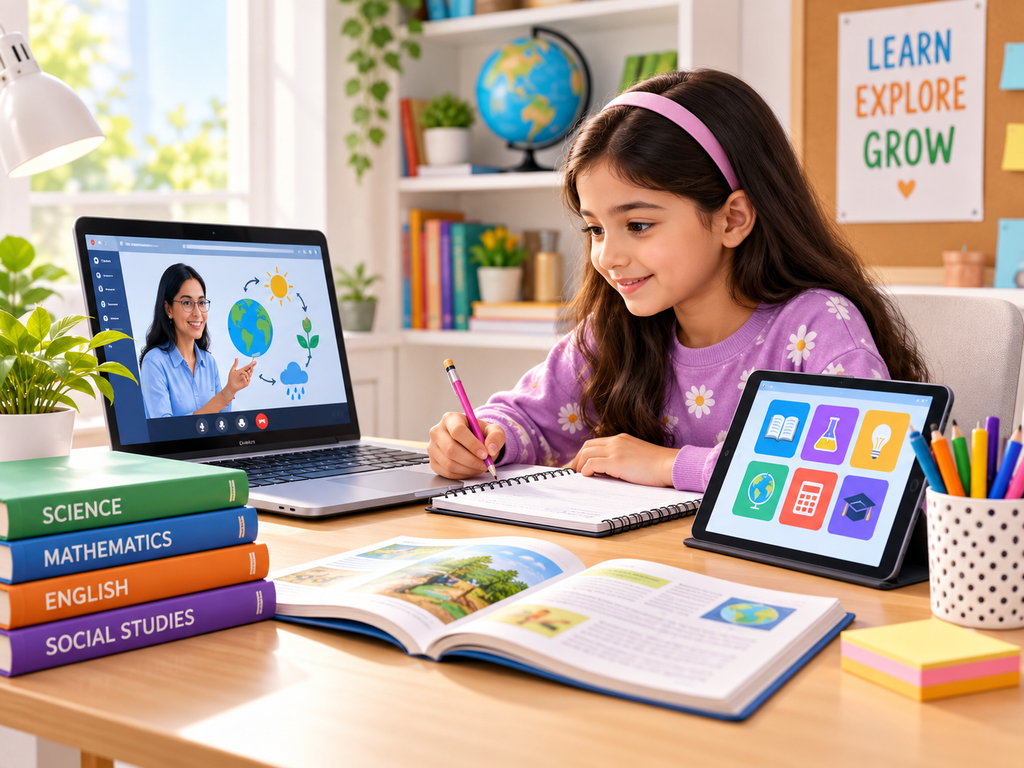
Computer की मदद से students:
- Online classes attend कर सकते हैं।
- Educational videos देख सकते हैं।
- Interactive quizzes solve कर सकते हैं।
- Digital notes पढ़ सकते हैं।
- Educational games खेल सकते हैं।
- Projects और presentations बना सकते हैं।
- नई information खोज सकते हैं।
Technology के सही उपयोग से learning को अधिक interactive, visual और engaging बनाया जा सकता है।
8. Computer के फायदे
Computer के कई महत्वपूर्ण advantages हैं।
⚡ Speed
Computer बहुत तेजी से calculations और processing कर सकता है।
🎯 Accuracy
सही instructions और data मिलने पर computer बहुत accurate results दे सकता है।
💾 Storage
Computer बड़ी मात्रा में information store कर सकता है।
🔄 Automation
कई repetitive tasks को computer automatically perform कर सकता है।
🌐 Connectivity
Internet की मदद से computer दुनिया भर के लोगों और information से connect कर सकता है।
9. Computer का सुरक्षित उपयोग कैसे करें?
Computer का उपयोग करते समय कुछ basic safety और digital habits अपनानी चाहिए।
🔐 Strong Password रखें
अपने accounts के लिए strong और unique passwords का उपयोग करें।
🛡️ Unknown Links से बचें
Unknown emails या suspicious links पर बिना जांचे click न करें।
👁️ Screen Break लें
लंबे समय तक लगातार screen देखने के बजाय बीच-बीच में break लेना अच्छी आदत है।
💻 Software Update रखें
Computer और important software को समय-समय पर update रखें।
🔒 Personal Information सुरक्षित रखें
अपना password, OTP और अन्य sensitive information किसी के साथ share न करें।
10. Computer सीखना क्यों जरूरी है?
आज के digital world में basic computer knowledge एक important skill बन चुकी है।
Computer सीखने से students को:
- Digital skills develop करने में मदद मिलती है।
- Online learning आसान होती है।
- Projects बनाने में सहायता मिलती है।
- Research skills improve होती हैं।
- Future career opportunities के लिए तैयारी होती है।
इसलिए बच्चों को केवल computer चलाना ही नहीं, बल्कि technology का सही, सुरक्षित और productive उपयोग करना भी सीखना चाहिए।
Frequently Asked Questions (FAQ)
Q1. Computer क्या है?
Computer एक electronic device है जो data को input के रूप में लेता है, उसे process करता है और output देता है।
Q2. CPU को Computer का Brain क्यों कहा जाता है?
CPU instructions को process करता है और computer के मुख्य operations को control करता है, इसलिए इसे computer का brain कहा जाता है।
Q3. Hardware क्या होता है?
Computer के physical parts जिन्हें हम देख और छू सकते हैं, Hardware कहलाते हैं।
Q4. Software क्या होता है?
Software programs और instructions का collection होता है जो computer को काम करने में मदद करता है।
Q5. Computer का उपयोग कहाँ होता है?
Computer का उपयोग education, business, banking, healthcare, communication, research, entertainment और कई अन्य क्षेत्रों में होता है।